Introduction
In order to be a ratified Activity Group, Media Group or Sports Club, group accounts must be controlled by KCLSU. This allows us to fulfil our charitable objective and ensure that we maintain transparency. This section explains the fundamentals of Student Activity Group, Media Group and Sports Clubs finances and is for use by all members of Student Activity Groups, Media Groups and Sports Clubs. It also goes through a step-by-step guide of how to use our reimbursement system – eXpense365.
eXpense365 is an app enabling students to request payments using their smartphone or tablet. It is supported on ONLY Android and iOS devices. You can access it from anywhere, at any time. The app is designed for all SAG members. You must have a standard membership to a SAG in MSL and must use the default email address of your MSL account to register with the app.
eXpense365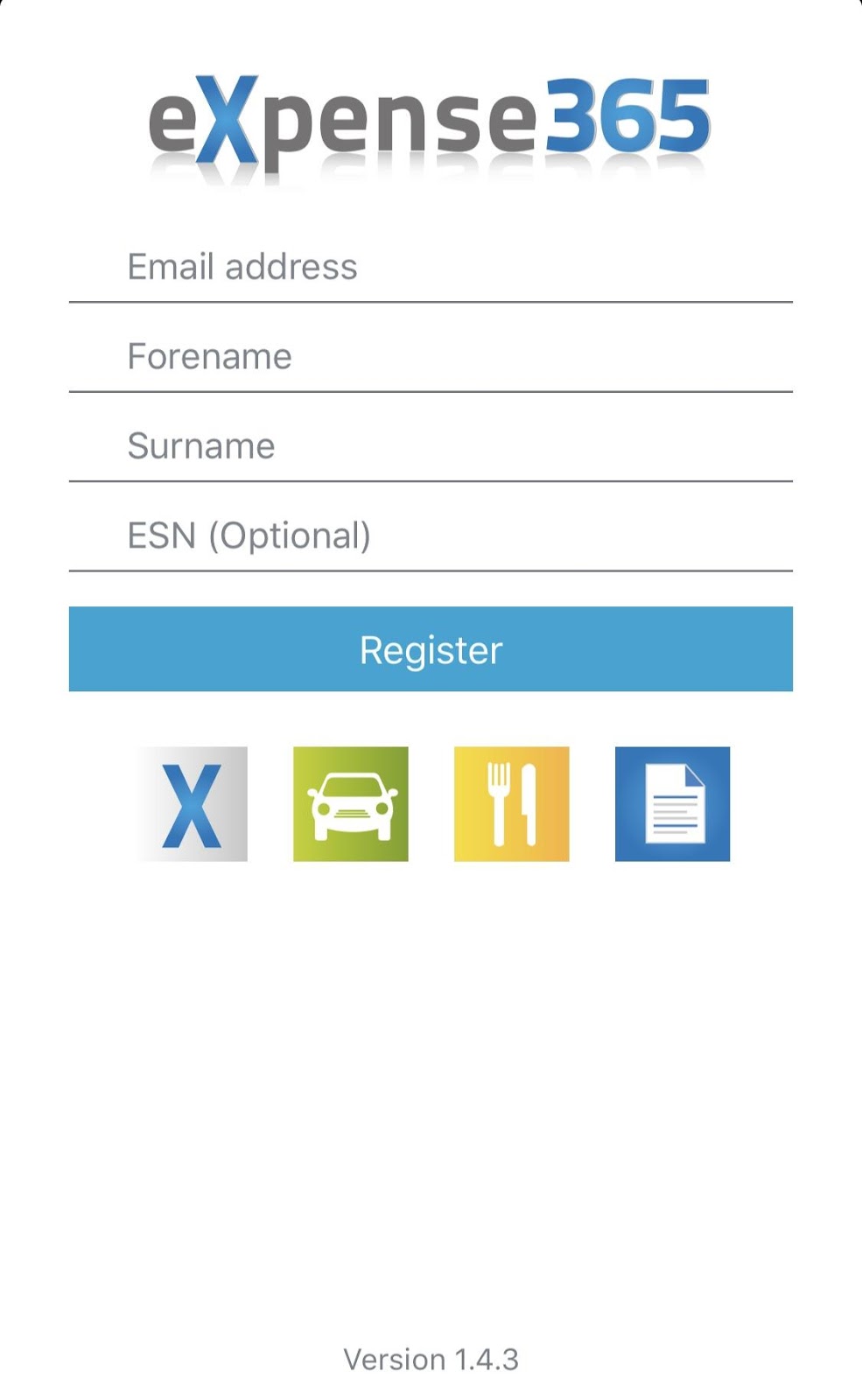
Setting up and registering
- Download the app:
- iOS - http://tinyurl.com/expense365iOS
- Android - http://tinyurl.com/expense365Android
- iOS - http://tinyurl.com/expense365iOS
- Open the app on your device.
- Enter your default KCLSU Website e-mail address, first and last names.
- If your default KCLSU Website e-mail address is NOT a kcl.ac.uk address, enter 064-072-051-040-095-052-162 in the ESN field. You can check this in the ‘Your Account’ area of the KCLSU website.
- Click ‘Register’.
- You’ll be sent an e-mail with a default password. Sign in to the app and change the password.
- When you log in you’ll see the screen on the left, you will be asked to enter your bank details.Once you do this you’ll be prompted to enter your password as an extra security measure.You are now ready to start using the app!
Main Screen
Changing Your Details
The Expense Claim Process
Students request payments via the app directly as payees. Once submitted, an expense claim goes through two approval stages as part of the four-stage process.
How to Create an Expense Claim 
4. Without clicking the tick (Android) or ‘Save’ (iOS), click on the ‘Expenses’ button. Then as before click on the ‘+’ or ‘New’ button in the top right.
5. Choose the ‘Type’ of expense from the list and fill in the description/s, stating what you are claiming for. The ‘Type’ will either be the Private, Grant, Restricted or Charity accounts.
The following screens show how you can add new expenses on iOS devices.
The screen below shows how you can add new expenses on Android devices.
6. In the ‘Amount Inc. VAT’ section put in the total amount you are claiming for this expense.
7. Once done, hit ‘Save’ on the top of the screen.
Adding multiple ‘Types’ of expenses
Adding proof of expenditure
Submitting for approval
1. Tap back on the ‘Expenses’ tab, and then click ‘Save’:
a. For Android users you will need to select the three dots in the top right and click ‘Submit for Approval’.
b. For iOS users you will need to select the ‘upload’ button, , and then ‘Submit for Approval’.
This will bring you to the screen below:
This will bring you back to the Expense Claims menu.
The claim will show up under ‘In Progress’ Expense Claims, and it will show as ‘Waiting Approval’.
You will get a notification once it has been fully approved. Notifications can be found in the ‘Notifications’ section.
If your Claim has been Approved, you can tap into the notification to see full details of the approval.
Approved claims will appear in the ‘Approved’ section of your claims
If your Claim has been Rejected, you will also get a notification. Tap into this notification to see the reason/s for rejection.
Rejected claims appear under the ‘In Progress’ tab, so you can edit and re-submit these, if you need to. If you resubmit, you should leave a comment too so your president or treasurer know it is not a duplicate claim. Alternatively, you can cancel the entire claim by changing the amount requested to £0.00.
You need to allow 7-10 working days for all claims in the ‘Paid’ tab to hit your bank account.
How to Approve/Reject Claims from Members
As the President or Treasurer of your SAG, you’ll get a notification on the app that a claim has been submitted for your group.
You’ll need to log into eXpense365 on your device and tap ‘Notifications’:
Click on the expense to see the details. For example, you’ll need to check what it’s for, the amount being requested, and whether the relevant receipts are attached.
If the claim is legitimate, hit ‘Approve’, if not, click ‘Reject’. If you’ve rejected the request you’ll need to add reasons for the rejection.
Once the claim has been approved, it will be sent to the Finance Team for further authorisation.
Important Notes
In order to have access to the app, please ensure you have paid your membership fees for the current academic year.
Please ensure that you have enough money in your account before you approve any claim. The accounts are published weekly and available on the KCLSU website under Running a Group or Running a Club. If you have insufficient funds the claim will be rejected by the Finance Team. This will cause delays in payments.
If the President needs a reimbursement the Treasurer will get a notification to approve it, and vice-versa. The Finance Team will approve the request thereafter.
When the claim has been approved by the President/Treasurer and the Finance Team, it will move from the ‘In Progress’ to the ‘Approved’ tab.
The claim will move from the “Approved” tab to the “Paid” tab once the payment run has been processed. The money will take 7-10 working days to reach your bank. For example, if the Finance Team have processed a payment run on Wednesday, the payee should receive the amount in their account by Friday.
Small amount claims
Please try to request claims for above £5 through the app. If you have receipts for anything below this amount, please try to wait until you have more receipts to make a total of £5 or more. If this is not possible, please get in touch with us at finance@kclsu.org and we can advise you further at the relevant time.
International bank accounts
If you only have access to a non-UK bank account, you won’t be able to use the app to get a reimbursement. Please get in touch with us at finance@kclsu.org and we can advise you further.
eXpense365 in Action
You can see how the eXpense365 app works through the training video on the following page:
kclsu.org/getinvolved/societies/runningagroup/financeandfunding/
eXpense365 Troubleshooting Guide
- Check that you are a member of the correct SAG (i.e. have paid your membership fees). If you do not see your club/soc, please email activities@kclsu.org or sport@kclsu.org for clubs.
- Check that you have admin rights as the President or Treasurer of the relevant group (see page x). If not, please email activities@kclsu.org or sport@kclsu.org for clubs.
- Ensure you are using the latest version of the app.
- If you are having trouble logging in, try resetting your password using the ‘Forgot Your Password’ link on the first screen. You can also try logging out then back in again.
Q: Help! I can’t log into the app!
1. “Error Registering New User” – email address registered against more than one student record.
A: Please email helpdesk@kclsu.org with a screenshot of the error. Our IT Team can resolve this for you.
2. “Error Registering New User” – email address/membership not found.
A: Make sure you have paid your membership then log into the membership system, MSL (https://www.kclsu.org/login/) and check that you are registering with the default email address listed against your account. Then try to log into the app again.
3. Invalid email address error
A: Please make sure when registering with a KCL email address you are using the name format (John.Doe@kcl.ac.uk) not your K Number username (K111111@kcl.ac.uk).
Q: I have updated my email address to my King’s email and have paid my membership fees but still can’t log into the app.
A: Please try clearing the cache/cookies from your device and try again.
Q I don’t see any approvers (my President/Treasurer) to send my claim to.
A: Your president/treasurer should ensure they have paid their membership, have access to the app, and that they have contacted Activities@kclsu.org or Sport@kclsu.org to request admin access to the website.
Q: I am a President/Treasurer, but don’t see any claims to approve.
A: Confirm that you have contacted Activities@kclsu.org or Sport@kclsu.org to request admin access to the membership website.Check with your members to see if they have submitted a claim successfully and selected you as the approver.Make sure you do not have your “Delegate” function on (under the “Details” function).
Paying Third-Party Suppliers (non-students)
At times you will need to pay suppliers directly through an invoice. For example, for hiring a venue for your summer ball, for banners or equipment, or for your club’s training kit. You may also wish to use this system for very large payments to pay non-students.
Contrary to students reimbursements, the potential suppliers above will not be able to log into the eXpense365 app to request a payment. Therefore, the President or Treasurer of your group will need to:
- Send an email to Finance@kclsu.org with the following required information:
- Who you are (president/treasurer)
- Which club/society the expense is for
- Which account (i.e. private, grant, restricted, charity)
- How much you want to pay
- Attach the supporting documentation with this, usually an invoice.Please ensure that bank details are on the invoice. We cannot pay suppliers we do not have details for.
- The Finance Team will then approve and process payment directly.
If the payment is going to be more than £50, it will be best to request an invoice from the supplier yourself, if they haven’t sent you one already. Suppliers will usually need the following details before they can send you an invoice:
XXXXXXX (President/Treasurer name)
XXXXX (Students Activity Group’s name)
South East Wing, Bush House
300 Strand
WC2R 1AE
As soon as you receive an invoice from the supplier, please send this to the Finance Team for payment, as above. Please note that invoices should be submitted at least 14 working days in advance of the payment due date. The Finance Team will usually process payment to be with the supplier within 14 working days.
The Finance Team will email the Remittance Advice (i.e. notice of payment) to suppliers as soon as we have set up the payment. However, if you need a payment confirmation, please email finance@kclsu.org.
Credit/Cash Card Payment Facilities
If you need to process an online payment to a supplier (for example, this might be for venue hire, upcoming travel arrangements etc.), which requires a credit card you can do so by getting in touch with us at finance@kclsu.org, as soon as possible. In any case, you’ll need to let us know at least 24 hours before you actually require use of the card for payment.
SAG Report
The Finance Team will generate the Student Activity Group report on a regular basis. This report will enable you to view your group’s incoming and outgoing transactions. It is published on the KCLSU website. You should check this regularly and make a note of any payments which have not yet been credited or debited from your account so that issues can be resolved quickly. The SAG Report will also be useful when budgeting for future payments or for keeping of track of outstanding payments. You can access the relevant reports here:
kclsu.org/getinvolved/societies/runningagroup/ or kclsu.org/getinvolved/sport/runningaclub/
Once opened, you can search (Ctrl F) for the Group Name. This document (pictured below) provides the current balances and particular transactions in each account; it will provide the information Presidents and Treasurers generally seek. If they have any remaining questions, direct them to the Finance Team.
Understanding your accounts
Your SAG account is split into 4 separate parts:
- Private – contains all money generated by the group themselves (Sponsorships/Membership fees etc.)
- Restricted– contains any externally sourced income (usually grants from the College). For sports clubs, the restricted account will also contain 25% of your memberships as a “self-funded grant.”
- Grant – contains KCLSU funding which your group applied for and have been awarded. Limitations apply to its use, based on the original grant application.
- Charity – contains any funds raised for charitable causes, to be donated to charities.
Private account
This is an expenditure account, which contains all private money belonging to the Group. The income may be from memberships, ticket sales or any other private and unrestricted deposits to the account. It belongs permanently to the group, can be spent on anything for the benefit of the group and remains in the account for subsequent academic years. KCLSU closely monitors account usage to ensure funds are used fairly and for all members.
Legitimate use:
- Any group activities that cannot be supported financially by the Grant account.
- Activities for the benefit of all members – funds must never be used for individuals.
Restricted account
This account is for external grants such as the King’s College London Annual Fund Grant. It should be used solely for the purpose for which the funds were assigned. Your group must provide KCLSU with all the details of any such grant and the restrictions on its use.
For clubs, you will see small amounts in your restricted account. This is 25% of your membership fees. This split is intended to give you self-generated grant money, which carries forward every year. This should be used to pay for coaching, travel, umpires and referees.
Grant account
Group funding allocated by KCLSU is placed in this account. It can be applied for at four different times during the year. Please check the kclsu.org/societies/funding page for application dates and more details.
Legitimate use:
- Expenditure clearly mentioned in the funding application will be reimbursed out of the Grant account. Anything outside the original grant application must be taken from Private or Restricted accounts.
At the close of each financial year (31st July) the remaining total in the Grant account is cleared into central KCLSU funds and cannot be carried over to the following year. If the account is in deficit this will be recovered by transferring the arrears from the Private account regardless of the balance in the Private account.
Charity account
This account should be used to hold ONLY charitable donations to be made by your group to an external charity. Should your group hold a fundraising event, money raised will be placed in this account from where it can be sent out to the charitable cause of your choice.
For further information about fundraising please contact fundraising@kclsu.org.
Department Codes
Each group has an account held with KCLSU identified by its own unique 3-digit Department Code. A list of all department codes can be found on the KCLSU website within the SAG Reports.
VAT (Value Added Tax) on Expenditures
Societies
When money is being spent from your Private account, and there is VAT clearly stated on the invoice/receipt your group will only pay the net amount of the cost. This is because when you put money into your Private account VAT is deducted, so at the expenditure stage you have an advantage!
Restricted, Grant and Charity accounts are not subject to rules of VAT. Your group will have to pay the full cost stated on the invoice/receipt. This is also the case if your invoice/receipt has no VAT stated on it.
Sports Clubs
When money is being spent from your Private account, and VAT is clearly stated on invoice/receipt, you will only pay the net amount plus 6% of the net. The reason for this is:
- Your membership payments do not have any VAT taken off them, but payments in from kit/tickets/sponsorships do have VAT. This means you have mixed income, which means mixed VAT on expenses.
Your Restricted, Grant and Charity accounts are not subject to rules of VAT. When spending money from any of these accounts your group will have to cover the full cost stated on the invoice/receipt. This is also the case if your invoice/receipt has no VAT stated on it.
Fundraising
There will be different VAT implications depending on whether you are fundraising for your group or for a third-party charity. Please get in touch with us before you start activities relating to either of these fundraising types, and we can advise you further.
Please use a Payment Request Form (which can be found in the ‘Finance’ section of the ‘Running A Group/Club’ section of the website) to request a donation payment to a third-party charity, using the Third-Party Payment procedure above.
24 Hour Payments
The KCLSU Finance Team does provide urgent (same day or next day) payment services to Students Activity Groups in extenuating circumstances. This service should only be used in emergencies.
If it is a payment on a website, we can provide a KCLSU Credit Card. However, the Students Activity Group’s President or Treasurer must make the payment in the finance office. They need to contact the Finance office in advance to make sure there are staff available.
If it is a payment by bank transfer, it is not necessary to visit the Finance office. You can send us the relevant documentation via e-mail (please see Third Party Supplier section above), or via the eXpense365 app (for students). Please be advised that the Finance Team must be informed (by phone call) before 3pm for same day payments. Otherwise, the payment would not be processed by the bank.
International Payments
In instances where the payee does not have a UK bank account, Finance can make an international payment. Please be advised that there is an additional £25 Bank Charge, which your group will have to pay.
For Finance to make an international payment, an email needs to be sent to finance@kclsu.org containing the following information:
- A copy of the invoice
- The bank details – IBAN, BIC/SWIFT, routing number (if applicable)
- The country the bank is located in
- The role of the person submitting the request (i.e. Pres/Treas)
- The group making the payment
- Which account (private/restricted) to pay the invoice from
- The amount to pay
- The currency to pay in
Raising Sponsorship Invoices
The Finance Team can raise sponsorship invoices on your behalf and email them directly to the sponsor.
Any sponsorship deals must have a contract which is signed by both the group/club and the sponsor. There is a sponsorship contract template available on the ‘Running a Group’ section of the KCLSU website. Before signing a contract, you must send the contract to activities@kclsu.org or sports@kclsu.org for checking.
Please then fill in the Sales Invoice Request Form (kclsu.org/getinvolved/societies/runningagroup/financeandfunding/) and email it to the Finance Team.
Allowing the Finance Team to raise invoices on your group’s behalf has two important benefits:
- Your group will see the money in your accounts on the next SAG Report.
- If your sponsor is late in paying, the Finance Team will chase them for you.
Incomplete forms may be returned to you, causing delays. The more information you can provide on the form, the quicker Finance can raise the invoice.
Your sponsor may require their Purchase Order (PO) number to be mentioned on the sales invoice. If they require their Purchase Order number on the invoice, you will have to provide the Finance Team with that purchase order number on the form. Most large sponsors/companies and especially King’s College London will always require their Purchase Order number to be on an invoice.
We use the information you provide us on the form to determine the VAT treatment according to HMRC rules.
Any Sponsorship income with reward/promotion of the sponsor will be VAT applicable (i.e. Company logo on t-shirts etc.). If you are providing promotion to your sponsor, please make sure you request 20% more money than you want to appear in your account. For example, if you want to see £100 in your account, your form should say you are requesting £120.
Sponsorship income without any reward will be Non-VAT applicable. Most sponsorships/grants from King’s College London will be in this category.
Planning in Advance
We strongly encourage student groups to plan their activities in advance. We have developed a Budget Template that enables you to manage your Group’s finances more easily. Please find the document here: kclsu.org/getinvolved/societies/runningagroup/
Paying money into your account
Student groups must pay all money collected at any point in the year into their group accounts. You may not hold funds outside of the KCLSU bank account because this is a policy violation.
At a Student Hub
Funds paid through Hubs will be deposited directly into your account making this the easiest way to pay money in. In addition to membership fees, Hubs can pay in money to the following Group accounts:
- Private account for miscellaneous income.
- Charity account for funds earned through fundraising.
You will be given a receipt for these transactions which you should keep safe - it will be required when dealing with account queries.
When paying in a cheque these should be made payable to KCLSU and not the name of the Group. The Group’s name and Department Code and nature of the income – i.e. membership or sponsorship or ticket sale or donation, should instead be written clearly on the reverse so that the funds can be assigned correctly by our Finance Team and traced in relation to an enquiry.
We are unable to accept cheques in foreign currencies.
BACS Transfer
Funds can be transferred to KCLSU via a BACS transfer using the following details:
| Account Number: | 10858635 |
| Sort Code | 09-02-22 |
You must provide your Group’s 3-digit Department Code and group name as a reference along with the nature of income to help us allocate the funds via Email. Failure to do so will result in your group not receiving the funds.
External Bank Accounts
Groups are not permitted to open or operate an external bank account for its members. This is a contravention of the charity law by which we are governed. This policy also acts to protect the members of the group since such a bank account is not subject to any controls over expenditure or to the scrutiny of audit.
KCLSU only recognises Union accounts and requires all income and expenditure relating to a Group to pass through its accounts. If a group or club is found to be operating an external bank account it may result in disciplinary action and the group being de-ratified.
Dormant Accounts
Where a Group is inactive for a period of one year the Group will be considered dormant. Any surplus or deficit on the account will be written off or cleared into central KCLSU funds after a period of 3 years.
Our Financial Year
KCLSU’s financial year runs from 1 August to 31 July. This is important because it means that at the end of July any unspent money in a group’s Grant Account is cleared back into central KCLSU funds. All financial issues for the year must also be resolved as they will not be processed in the following financial year.
Committee Misconduct
Where any committee member is deemed to be financially irresponsible or otherwise seriously mishandling group affairs they will be referred to the Student Life Team.
Please do not share your eXpense365 user names and password.
Petty cash tins must not be kept, and if they are this is at your own risk and KCLSU cannot be held accountable for any losses. KCLSU does not provide floats.
The above actions may result in the future exclusion of the committee member from Group committees and or having to step down as President or Treasurer. In extreme cases, this may result in criminal charges or College sanctions.
Useful Contacts
| All Group finance enquiries should go to the Finance Team | 020 7848 1588 020 7848 1247 020 7848 1215 020 7848 1349 | Finance@kclsu.org |